Automatic tracking at your workplaces
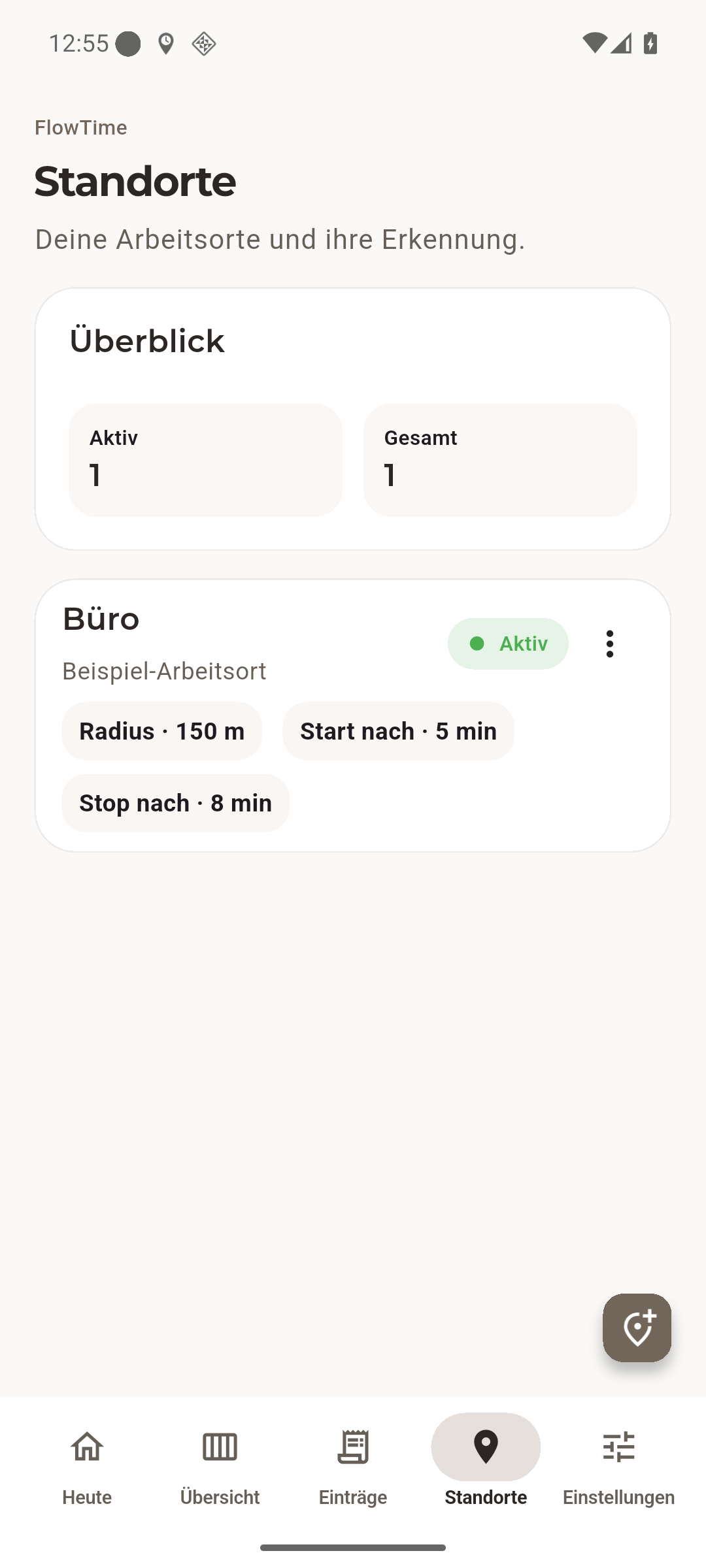
Save multiple workplaces with individual detection radii and delays. Android detects arrival and departure; you can review the results.
 Android · free beta
FlowTime tracks working time automatically at your saved workplaces. See how much time remains towards your daily target – and when you can finish.
Less catching up. Better planning. You stay in control.
For Android · feedback welcome · start directly through the beta group
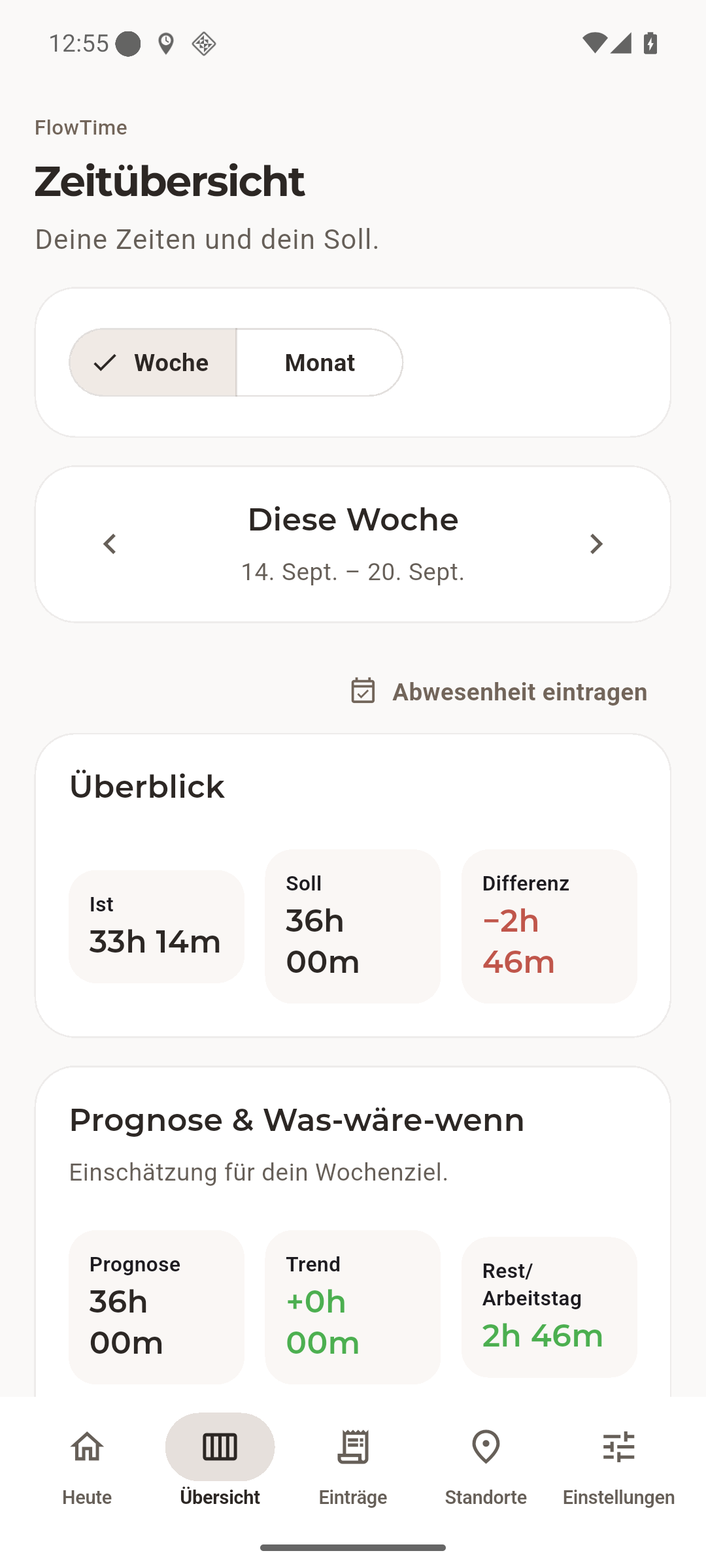
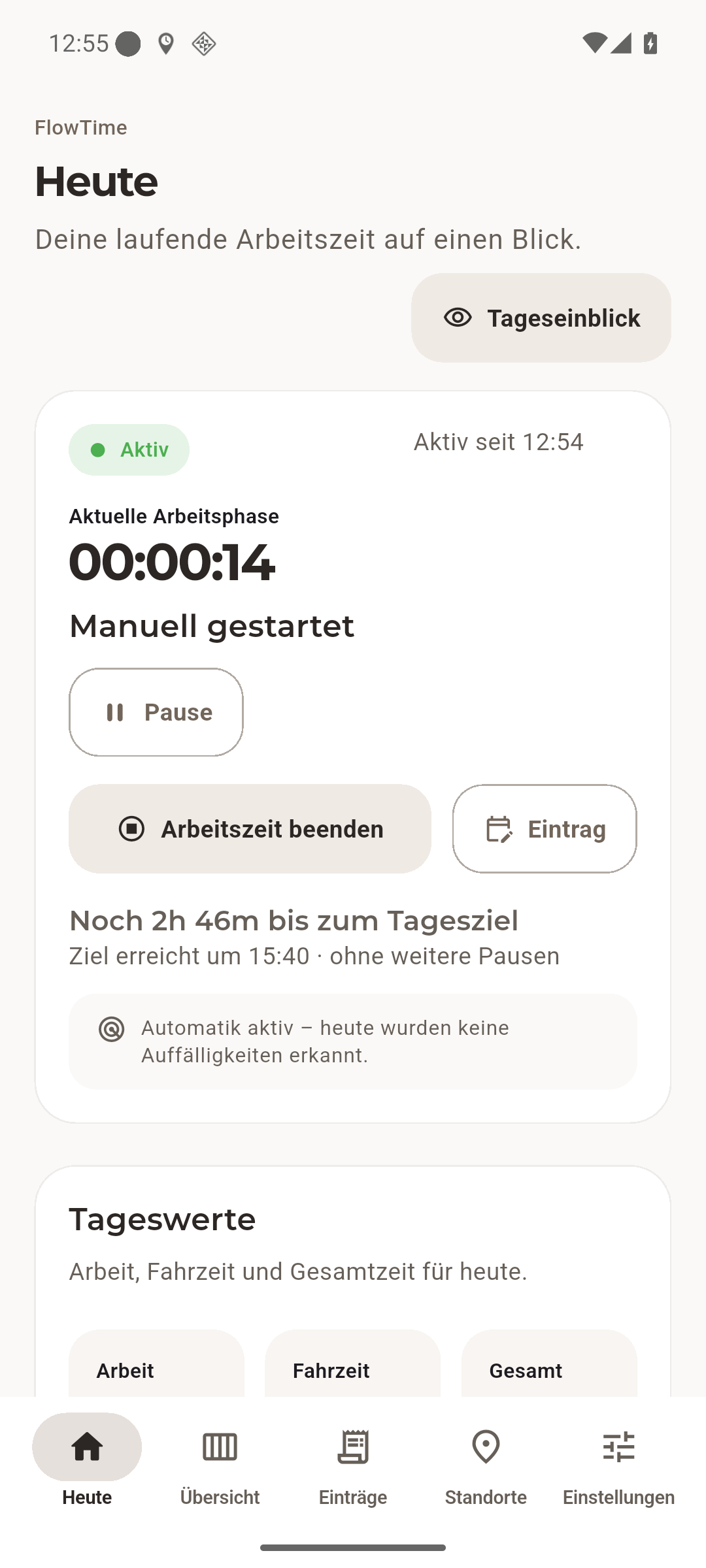
Real app screens from version 1.3.0 · sample data · German app interface
Save multiple workplaces with individual detection radii and delays. Android detects arrival and departure; you can review the results.
Set individual targets for each weekday, including part-time schedules, days off and weekend work.
See time remaining towards your daily target and an estimated finish time, assuming no further breaks.
Full days, half days or individual hours. Include German public holidays for your federal state.
Optional live net working time in the Android notification, with pause and resume. A home-screen widget provides another quick view.
Spot missing time, add and correct entries manually. CSV export and local backups keep your records useful.
Available in the closed test
Build (32)Android · free beta
Try FlowTime during real working days. The closed beta is free. If possible, stay opted in for at least 14 days and use the app regularly. Every report helps; feedback is optional. The app interface is currently in German.
Open the Google Group and choose “Join group” using your Google Play account. No personal email approval is needed.
Then open the Google Play test link with the same account and confirm participation.
Install FlowTime through Google Play. Updates arrive there too.
Already a group member? Continue with step 2. If Google Play does not recognise your access yet, wait a moment and check that you are using the same Google account everywhere. Help: [email protected].
Add your workplace and adjust its detection radius.
Allow the background location access needed for automatic tracking. The app guides you through the settings.
Automatic tracking detects arrival and departure. Review your time and correct entries when needed.
Working times, workplaces and settings are stored locally on your device. You choose what to export or share. Location detection is used for time tracking, not advertising.
Read the privacy information →What works well? Is any time missing? What feels unclear? Use feedback in the app or send me an email. For a bug, include Android version, app version and steps to reproduce. Please leave out confidential work records.
Send feedback →A compatible Android phone and a Google Play account registered in Germany. The app interface is currently in German. Google Play will confirm device compatibility.
Yes. Start, pause, resume and stop work manually, or add entries afterwards. Automatic tracking requires the appropriate Android location permissions.
Detection also depends on Android, location signal and battery settings. Review your records regularly. You can adjust the radius and delays, and correct entries.
It shows when you will reach your daily target if you keep working. Additional breaks move the estimate later.
FlowTime is your personal time tracker. It does not automatically send records to your employer or provide a leave approval process.
A continuous everyday test helps assess reliability and usability and meet publishing requirements. Please stay opted in on Google Play throughout the test if possible.
Yes. Beta participation is free and feedback is welcome but optional. You can leave the test on Google Play.